In short
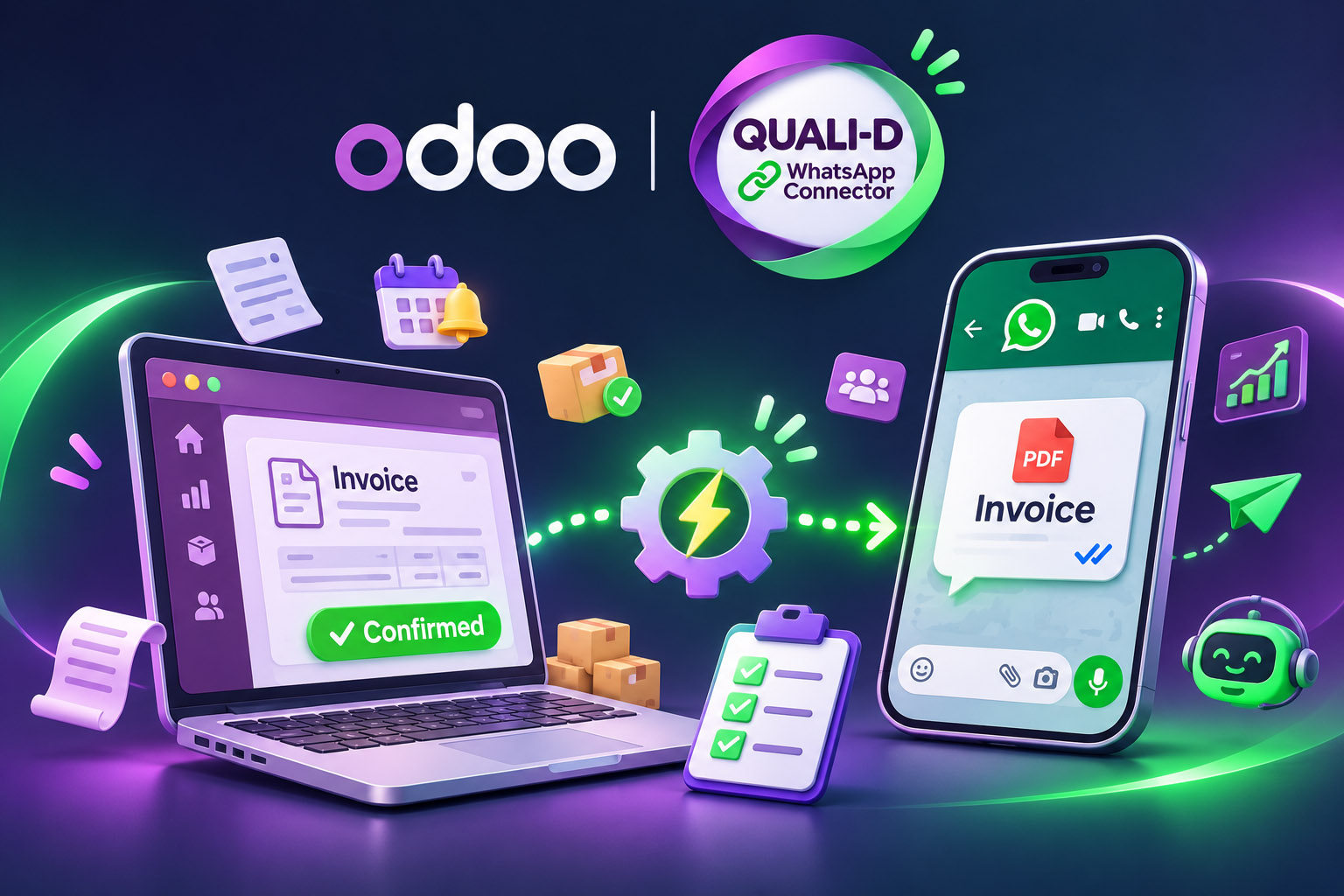
The Quali-D app for Odoo sends your approved WhatsApp templates from any Odoo record. Invoices go out with their PDF, payment reminders send themselves, and every message is logged on the record. It works on Odoo Community and Enterprise, and Odoo Online users can connect without installing anything.
🤔 Why Odoo Users Want WhatsApp
Your customers already read WhatsApp. Emails with invoices and reminders get buried, while a WhatsApp message is usually seen within minutes. For businesses in Egypt, the Gulf and across the Middle East, WhatsApp is where customers expect to hear about their order, their invoice and their payment.
Odoo has its own WhatsApp app, but it has two limits that stop many businesses:
- ❌ It is only available on Odoo Enterprise — Community users can't use it.
- ❌ You need to set up your own Meta developer app and connect the WhatsApp Business account yourself.
The Quali-D WhatsApp Integration for Odoo removes both. Your WhatsApp Business number is connected once in your Quali-D account, and Odoo talks to Quali-D with a simple token. It is available on the Odoo Apps store.
📨 What You Can Send on WhatsApp from Odoo
The app comes with 12 ready-made automations. Pick one, choose your WhatsApp template, and the trigger, filters and PDF are set up for you — no code.
Invoices on WhatsApp
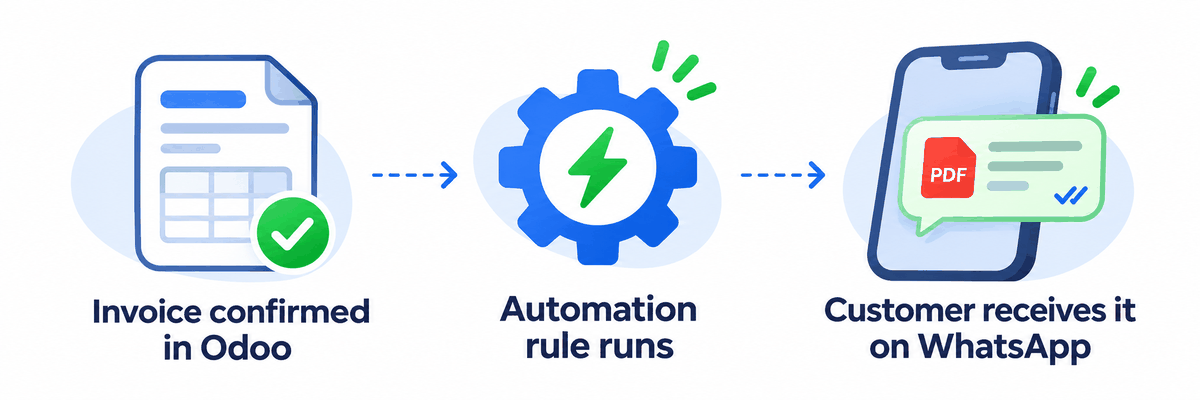
When a customer invoice is confirmed, the customer receives it with the invoice PDF attached.
Payment Reminders
A reminder 2 days before the due date, and another when the invoice is overdue and still unpaid.
Payment Thank-You
A message as soon as an invoice is paid.
Quotations & Sales Orders
Send the quotation when it's marked as sent, and the order confirmation when it's confirmed — each with its PDF.
Delivery Updates
The delivery slip goes to the customer when the delivery is validated.
CRM, Purchase & Projects
Instant reply to new leads, thank-you on won deals, purchase orders to suppliers, and task-done notifications.
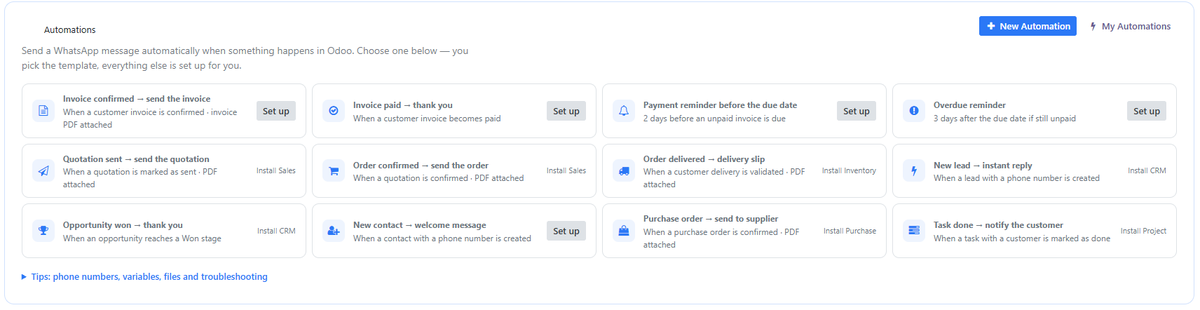
Send WhatsApp (Quali-D) is added as a new action type in Odoo, so it works with every model and every trigger — helpdesk tickets, appointments, rentals, or your own Studio apps.
📎 The Invoice PDF, Attached Automatically
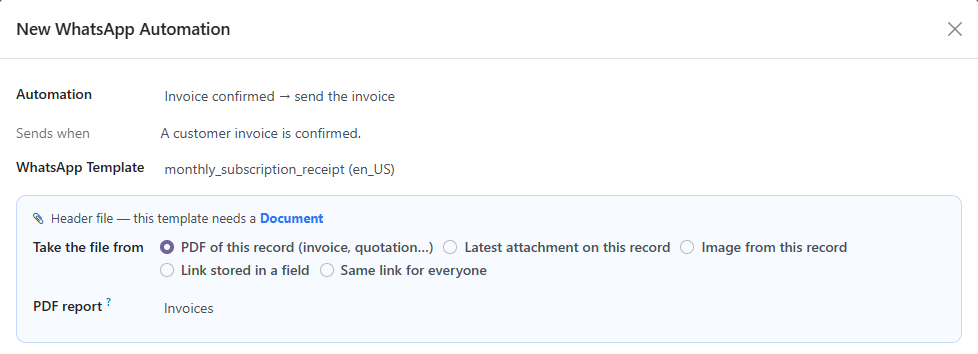
If your WhatsApp template has a document, image or video header, the app fills it for you. You choose where the file comes from:
- ✅ The PDF Odoo prints for the record — invoice, quotation, delivery slip, purchase order…
- ✅ The latest attachment on the record
- ✅ An image from the record, such as a product photo
- ✅ A link stored in a field, or the same link for everyone
Template variables such as {{1}} for the customer name or {{2}} for the invoice number are mapped to Odoo fields, so every customer gets their own details.
⚙️ How to Set It Up (3 Steps)
Create Your Quali-D Account
Sign up at quali-d.com/whatsappconnect, connect your WhatsApp Business number and get your templates approved. Then go to Settings → Odoo Connector → New Token.
Install the App in Odoo
Get Quali-D WhatsApp from the Odoo Apps store, open Settings → Quali-D WhatsApp, paste your token and click Connect. Your templates are imported automatically.
Pick an Automation
Click Set up next to a recipe such as Invoice confirmed → send the invoice, choose the template — done.
Open any contact, invoice or order and use ⚙ Actions → Send WhatsApp Template — for one record or many at once. You see a preview of the final message before sending.
☁️ Using Odoo Online? No Install Needed
Odoo Online (the SaaS version at yourcompany.odoo.com) doesn't allow installing apps with code. Instead, you use Odoo's built-in Send Webhook Notification action (Odoo 17 and later):
- In your Quali-D dashboard, open Settings → Odoo Connector, pick the template and the Odoo model, and copy the webhook URL it generates.
- In Odoo, create a server action of type Send Webhook Notification, paste the URL and tick the fields it lists (for example the phone number and name).
- Run it from the ⚙ Actions menu, or attach it to an automation rule if your plan includes them.
Header files work here too: a fixed link, a link stored in a field, or an image or file stored on the record itself.
⚖️ Odoo's WhatsApp App vs. Quali-D for Odoo
| Odoo WhatsApp app | Quali-D for Odoo ✅ | |
|---|---|---|
| Odoo edition | Enterprise only | Community & Enterprise |
| Odoo Online | Yes (Enterprise plans) | Yes, through a webhook — no install |
| WhatsApp setup | Your own Meta developer app | Done once in Quali-D — Odoo only needs a token |
| Ready-made automations | Build your own | 12 one-click recipes |
| Customer replies | In Odoo Discuss | In the Quali-D inbox, with chatbots and AI agents |
| Same number for marketing, chatbots and Odoo | — | Yes |
🛡️ Built to Be Reliable
Background Sending
Confirming an invoice never waits for WhatsApp. Messages are queued and retried if the network is briefly unavailable.
Never Twice
Each automation sends once per record, so editing an invoice doesn't send it again.
No Broken Messages
A missing phone number or an empty variable stops the send with a clear reason, instead of sending something wrong.
Full Message Log
A note on each record and a list of every message with its status. Failed messages can be retried.

📏 Good to Know Before You Start
- ✅ Approved templates only: WhatsApp only allows business-initiated messages that use templates approved by Meta. You create and submit them in your Quali-D dashboard.
- ✅ Opt-in for marketing: marketing templates should only go to customers who agreed to receive WhatsApp messages. Invoices and order updates are usually utility templates.
- ✅ Message costs: Meta charges per template message, depending on the category and the customer's country. See our WhatsApp API pricing page.
- ✅ Phone numbers: the app uses the record's mobile or phone number. Numbers without a country code get your default country code.
🚀 Start Sending WhatsApp from Odoo
Create your Quali-D account, connect your WhatsApp Business number, and send your first invoice on WhatsApp today.
❓ Frequently Asked Questions
Does it work on Odoo Community?
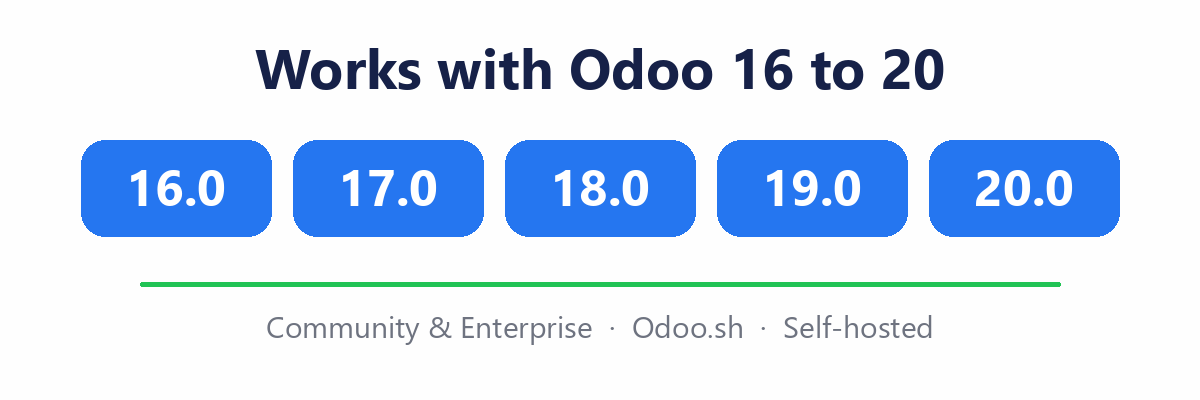
Yes. The Quali-D app works on Odoo Community and Enterprise, on Odoo.sh and on self-hosted Odoo, for versions 16, 17, 18, 19 and 20. Odoo's own WhatsApp app requires Odoo Enterprise.
Can I use WhatsApp with Odoo Online?
Yes. Odoo Online doesn't allow installing apps with code, so you use Odoo's built-in Send Webhook Notification action instead. Quali-D generates the webhook URL for your template in Settings → Odoo Connector.
Do I need a Meta developer account?
No. Your WhatsApp Business number is connected once in your Quali-D account. Odoo only needs a Quali-D token, which you can create, rotate or revoke at any time.
Can Odoo send the invoice PDF on WhatsApp?
Yes. When a template has a document header, the app attaches the PDF Odoo prints for the record — the invoice, quotation, delivery slip or purchase order.
Which messages can I send?
Any WhatsApp template approved by Meta in your Quali-D account, in any language you created it in — including Arabic. Variables are filled from Odoo fields.
Where do customer replies go?
Replies arrive in your Quali-D inbox together with the message Odoo sent, including its PDF, so your team can answer from there — or let a chatbot or AI agent handle them.